
Hue Daylight
Switches your Philips Hue lights on when clouds make the day too dark, and off again when it clears. The Hue app already handles sunrise, sunset and bedtime; Hue Daylight adds the one thing it can't see: the sky.
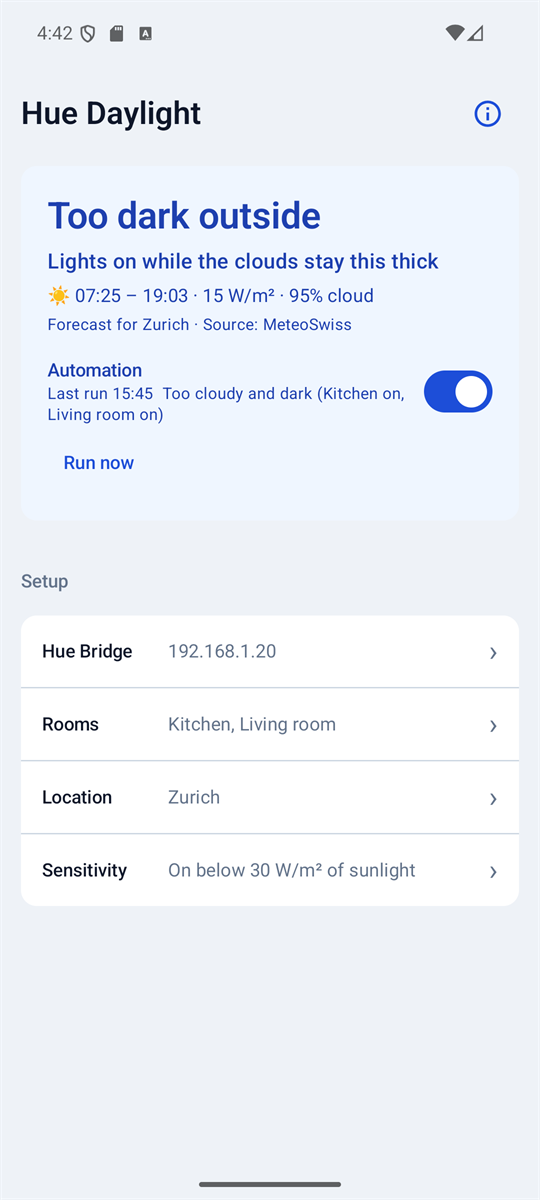
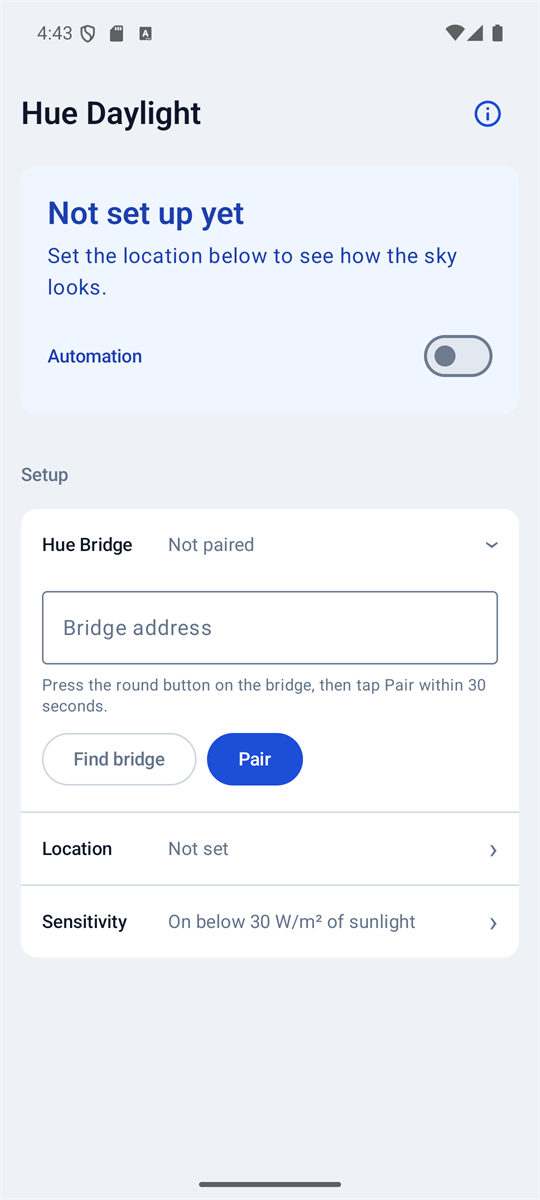
How dark is too dark
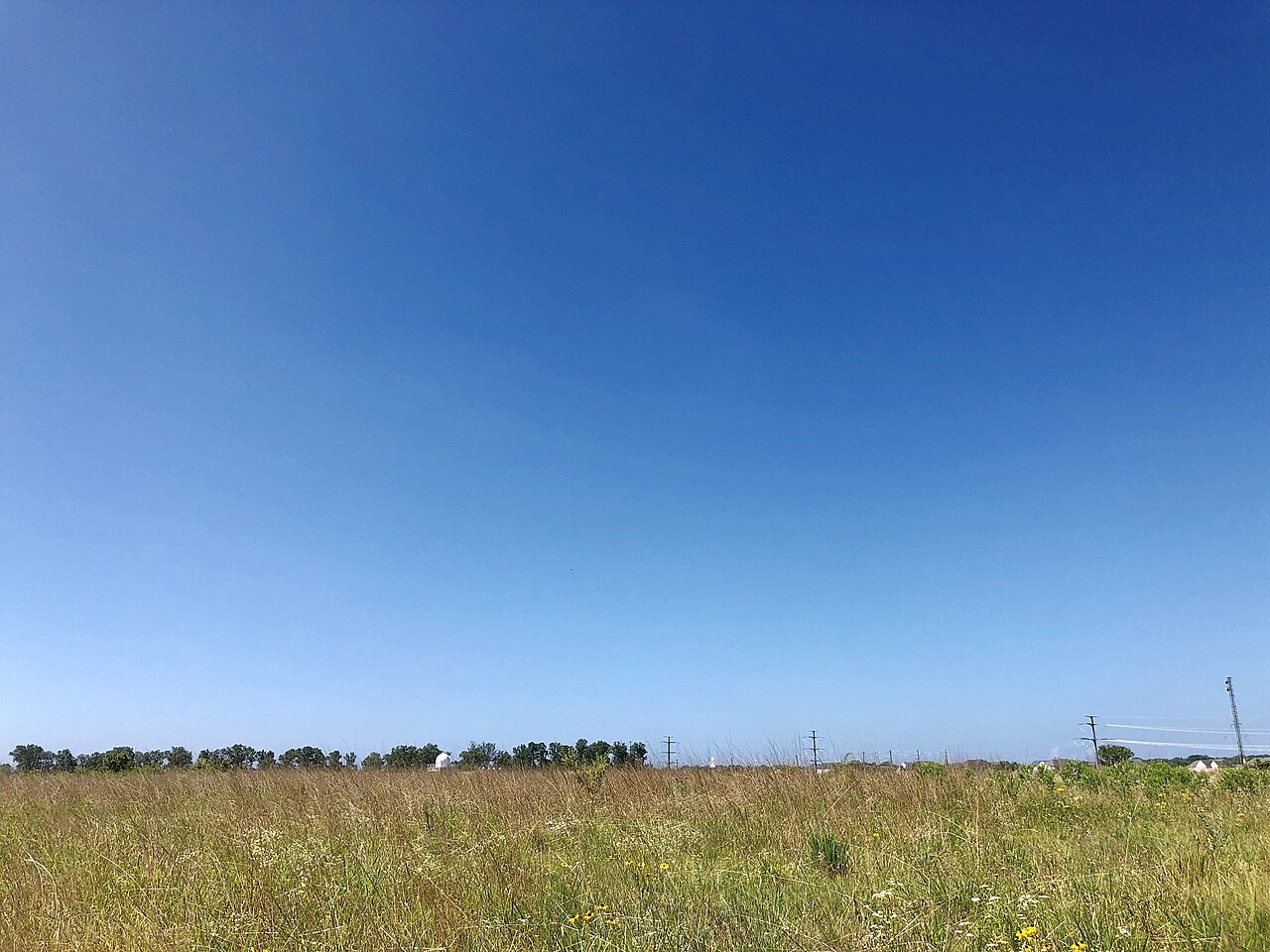
Hue Daylight reads one number from the forecast: the sunlight reaching the ground, in watts per square metre (W/m²). These are the skies behind the numbers, from dark to bright, with what each typically gives around midday and what the lights do.

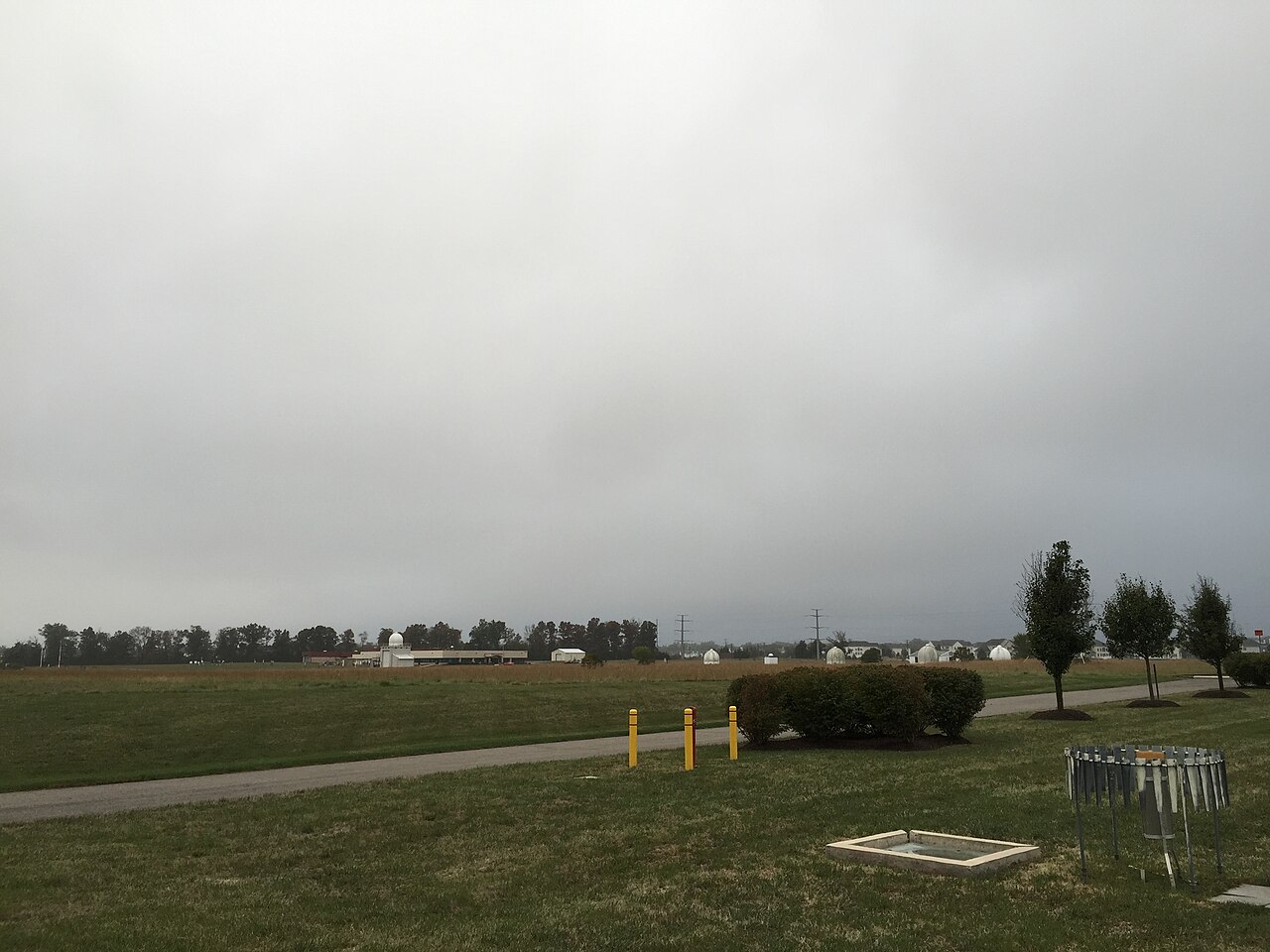

Lights onbelow 30 W/m², the default
On if you raise the sliderfor darker rooms, up to 150
Lights stay offthe sun gets through
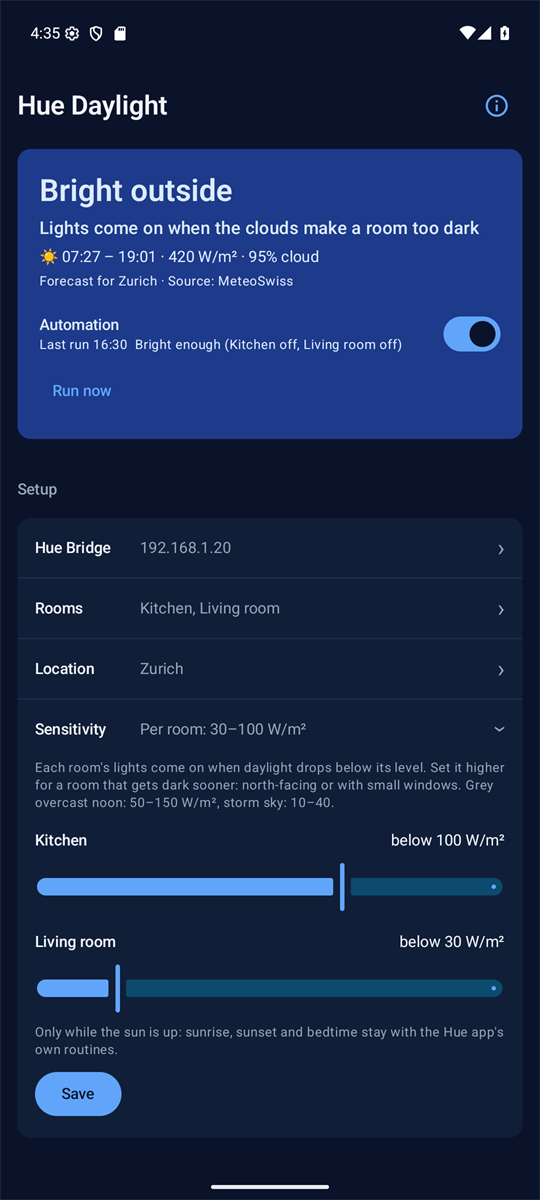
The forecast measures the sunlight outside, and the same sky lights every room differently. A north-facing room with small windows, or one shaded by trees or the building opposite, gets dim long before a room with large south-facing windows does. So the right setting depends on your rooms, not only on where you live.
Start at the default of 30, where only a real storm sky switches the lights on. If a room is still too dim on grey days before they come on, move the slider up towards 150; if they come on while the room is still bright enough, move it down. Each room has its own slider, so a dim north room can come on while a bright one stays off.
The lights go off again once the sunlight climbs past one and a half times the room's level, 45 at the default, so they don't flicker. The app also checks that the sky is below half of what a clear sky would give at that hour, so a low winter sun on a clear day doesn't count as dark.
The ranges are typical for each kind of sky, not readings taken with these photos. Photos by Famartin on Wikimedia Commons, resized, under CC BY-SA 4.0: storm, grey overcast, broken cloud, clear sky. Taken near Sterling, Virginia.
_in_the_Dulles_section_of_Sterling,_Loudoun_County,_Virginia.jpg)
_in_Sterling,_Loudoun_County,_Virginia.jpg)


What it does
Dark days, lights on
When the forecast sunlight drops below a room's level and under half of a clear sky, that room's lights come on, even at noon.
Sky clears, lights off
When it brightens clearly again, the rooms go off. The sky has to brighten well past the level first, so the lights don't flicker.
Only undoes what it did
It switches off only the rooms it switched on. A light you or a Hue routine switched on stays on.
A note each time it switches
Whenever it switches lights, one note pops up on the phone: "Too cloudy: lights on", "Sky cleared: lights off" or "Still bright: lights off", with the rooms and the sunlight behind it. One note per check, never one per room.
MeteoSwiss in Switzerland
In Switzerland the forecast comes from MeteoSwiss's own weather models, at 1 to 2 km; elsewhere from Open-Meteo. Either way it measures sunlight reaching the ground, not just cloud cover.
Leaves the clock to Hue
While the sun is down it does nothing at all: sunrise, sunset and bedtime stay with the Hue app's own routines.
Holds early routines back
Optional: if a Hue routine switches the rooms on while it's still bright, they go off again and come back on once it's dark enough, before sunset at the latest. It reads your Hue routines and switches to tell a routine from you: a light you switch on yourself stays on.
Your town, by name
Search for your town or postcode, or let the phone find it. The app shows the place the forecast is for, not coordinates.
Only on the home Wi-Fi
The phone talks to the Hue Bridge over your home network, so it can switch the lights only while it is on the same Wi-Fi as the bridge. Out on a cloudy day, it won't switch them on. Once you are home, the next check, within about a quarter of an hour, catches up.
In the background
Hue Daylight does not need to be open. Once automation is on, Android runs it in the background, and it keeps doing so after the phone restarts.
- Every 15 minutes
- Android wakes the app to check the sky. That is the shortest interval Android allows for background work, and it may stretch a little while the phone sleeps, so a room can switch up to about a quarter of an hour after the sky has changed.
- Each check
- The forecast sunlight for that quarter of an hour is compared with each room's level. A room that crosses its level is switched, and one note says what happened.
- The forecast
- Downloaded again once it is more than an hour old, in 15-minute steps covering the past day and the next two. If a download fails, the saved forecast keeps the checks going.
- At night
- While the sun is down a check switches nothing: the Hue app's routines are in charge.
- Away from home
- The bridge cannot be reached, so nothing is switched. The first check back on the home Wi-Fi catches up.
Between checks the app does nothing at all. If Android delays the checks a lot on your phone, exempting Hue Daylight from battery optimisation in Android's settings keeps them closer to every 15 minutes.
Private by design
- No account and no server of ours. The phone talks to the Hue Bridge directly on your home network.
- The connection is HTTPS, pinned to your own bridge's certificate when you pair, so another device can't pose as the bridge.
- The bridge's key stays on the phone, and out of the phone's cloud backup.
- Your location is shown as a town and used only for the sun's position and the forecast. It goes to the forecast service, and to Android's place-name service only when you ask the app to find your town.
Read the app's privacy policy →
Where it stands
Hue Daylight is in development and not yet in the Play Store. It is being tested on a Galaxy S20 FE with a real Hue Bridge. Two limits come with running on a phone: it must be on the home Wi-Fi when the sky changes, and Android may act on the change up to about a quarter of an hour late.
Interested in trying it? Write to support@rogehastudio.com.